

Nearly two years ago, Google made artificial intelligence unavoidable for everyday internet users. By placing AI-generated answers directly at the top of search results, the company effectively pushed generative technology into the mainstream. Now, Google is applying the same strategy to another service used by billions of people every day: email.
This month, Google began rolling out a new collection of Gmail features powered by generative AI, the same underlying technology behind modern chatbots. The goal is to help users cope with overloaded inboxes and reduce the time spent composing emails. Some of these tools are available at no cost, while more advanced features are tied to paid subscriptions.
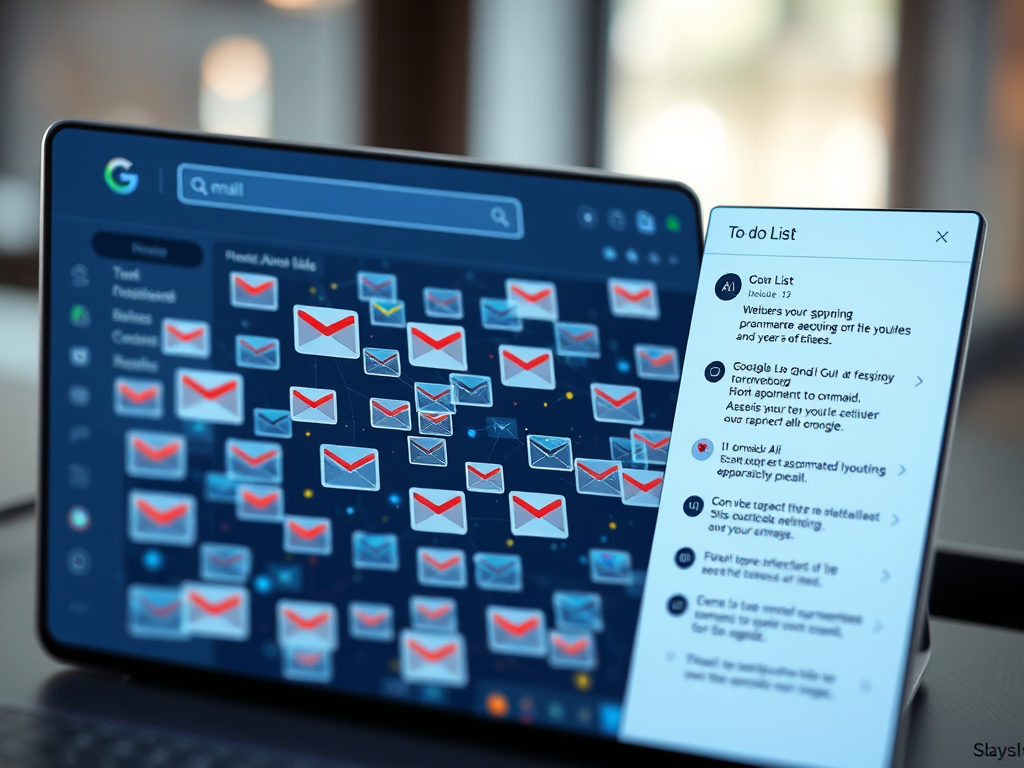
With these updates, Gmail users can now search their inbox by asking natural-language questions such as, “Who was the recruiter I spoke with last month?” Google is also testing a redesigned inbox experience, expected to launch later this year, that automatically creates task lists based on conversations found in emails. Alongside this, the company has introduced AI-assisted writing tools, including automated proofreading and reply generation.
If these capabilities gain widespread adoption, they could represent the most significant evolution of email in decades. Email has long been one of the internet’s most stable and unchanged services, requiring users to manually scan messages throughout the day. Google’s vision suggests a shift toward a more summarized, task-oriented experience that people check periodically instead of constantly.
Naturally, this transformation raises serious questions about privacy. To function effectively, Gemini, Google’s AI assistant, must be able to access the full contents of a user’s inbox. Google maintains that although Gemini analyzes emails, safeguards prevent human employees from reading them. To better understand what this means in practice, I spoke with Google leadership responsible for Gmail and consulted independent privacy experts.
I also spent a week testing Gmail’s new AI-driven features to evaluate whether the convenience justifies the additional data sharing. Some tools, particularly the automatically generated to-do list, proved genuinely helpful. Others, especially those designed to speed up writing, felt less compelling. In the end, I remain undecided about whether I want to share even more personal data with Google once all features are fully available.
What follows is an overview of these new tools, along with key privacy considerations users should understand.
Gmail moves into the AI age
The most consequential update is the AI-powered Inbox, which Google plans to release broadly in the coming months. Other, smaller enhancements are already available.
A redesigned, AI-driven inbox
For many people, managing email has become an exhausting routine. Each incoming message demands a decision: reply, delete, archive, or ignore. Ignoring messages is the easiest option, but over time, unread emails accumulate and create mental clutter. My own Gmail app currently displays more than 100,000 unread messages, a number that perfectly illustrates this problem.
Google’s AI Inbox attempts to break this cycle by changing how users interact with email. Instead of presenting a long chronological list, it offers a high-level snapshot of what matters most. By analyzing recent conversations, it generates summaries and identifies action items that require attention.
During my test period, this feature brought noticeable relief. I had been exchanging emails with a local preschool regarding enrollment for my daughter, while her pediatrician had also sent a message requesting that I complete a medical questionnaire. Meanwhile, my inbox continued to fill with promotional emails and other distractions.
When I opened the AI Inbox tab, Gemini highlighted the important conversations and displayed a short to-do list: respond to the preschool and complete the pediatrician’s form. The marketing emails and irrelevant messages were filtered out entirely.
Although Google is currently testing the AI Inbox with a limited group of users, its broader release could appeal strongly to busy professionals, parents, and anyone overwhelmed by email volume.
New features available for free
Google has also made several AI-powered Gmail tools available at no cost. Previously, these features were restricted to users with paid subscriptions.
One such feature is personalized suggested replies. Gemini analyzes the content of an incoming message and drafts a response that reflects the user’s past writing style. Another addition is AI-generated conversation summaries, which appear at the top of email threads and provide a concise overview, similar to AI summaries already seen in Google Search.
There is also a “Help Me Write” function. By entering a short prompt, such as requesting help drafting a complaint or inquiry, users can generate a complete email draft in seconds.
As someone who writes professionally, I found these writing tools largely unnecessary. However, users who find writing stressful or time-consuming may appreciate the assistance.
Advanced tools behind a paywall
Google has also introduced premium features available to subscribers of its AI plans, which start at $20 per month.
One of the most useful paid features is AI-assisted email search. Instead of relying on keywords, users can now ask full questions, such as identifying a service provider they worked with last year. This approach significantly reduces irrelevant results, especially for users with years of accumulated messages.
Another paid tool is an advanced proofreading feature. Rather than making small suggestions, Gemini can flag entire sentences and propose rewritten versions that are clearer and more concise. For long or poorly structured emails, this can be a meaningful improvement.
Privacy concerns: is Google reading your email?
Embedding AI deeply into Gmail inevitably raises concerns about surveillance and data access. In many AI systems, human reviewers play a role in improving performance by examining sample interactions. This leads to a reasonable fear that private emails could be exposed to human eyes.
Google’s response to this concern is nuanced. The company states that while Gemini processes emails to provide features, human employees do not review the content, including the questions users ask when searching their inbox. Google also claims that Gmail data is not used to train or improve Gemini.
Blake Barnes, Google’s vice president of product for Gmail, explained that each user’s inbox operates in an isolated environment. According to his analogy, Gemini enters a private room containing only the relevant emails needed to answer a question. The data stays within that room and does not contribute to broader AI training.
However, privacy experts caution that policy promises do not eliminate technical possibilities. Google has acknowledged that certain interactions with Gemini in Gmail could be accessed in response to valid legal requests, such as search warrants. This aligns with longstanding legal obligations that apply to all major technology companies.
The difference now is that conversations with an AI assistant become an additional layer of data stored within the email ecosystem.
Thorin Klosowski of the Electronic Frontier Foundation emphasizes that email should never be treated as fully private. Service providers and law enforcement can access it under certain conditions. Adding more information to email systems simply increases what could potentially be retrieved.
The practical takeaway is straightforward: users should be mindful of what they share, even when interacting with AI tools that feel conversational and private.
Can users opt out?
Most of the new AI features, aside from the upcoming AI Inbox, are enabled by default. Users who prefer not to use them must actively disable them in Gmail’s account settings by turning off “Smart features.”
This default-on approach reflects Google’s confidence that AI assistance represents the future of email. Whether users agree may depend on how much convenience they feel the tools provide and how comfortable they are with the trade-offs.
As Gmail evolves, it is becoming less of a simple communication platform and more of an intelligent assistant. For some, that evolution will feel liberating. For others, it may feel like one step too far.




Leave a Reply